Loudness Match by Cue Labs

DJ intros and outros, made in a minute.

Mark the song, press one button. Loudness Match cuts the drums on the beat, removes the vocals, matches the loudness and hands you a full DJ edit — intro, song and outro — tagged and ready to play.

Windows 10 / 11 · Mac coming soon · No account needed for the trial

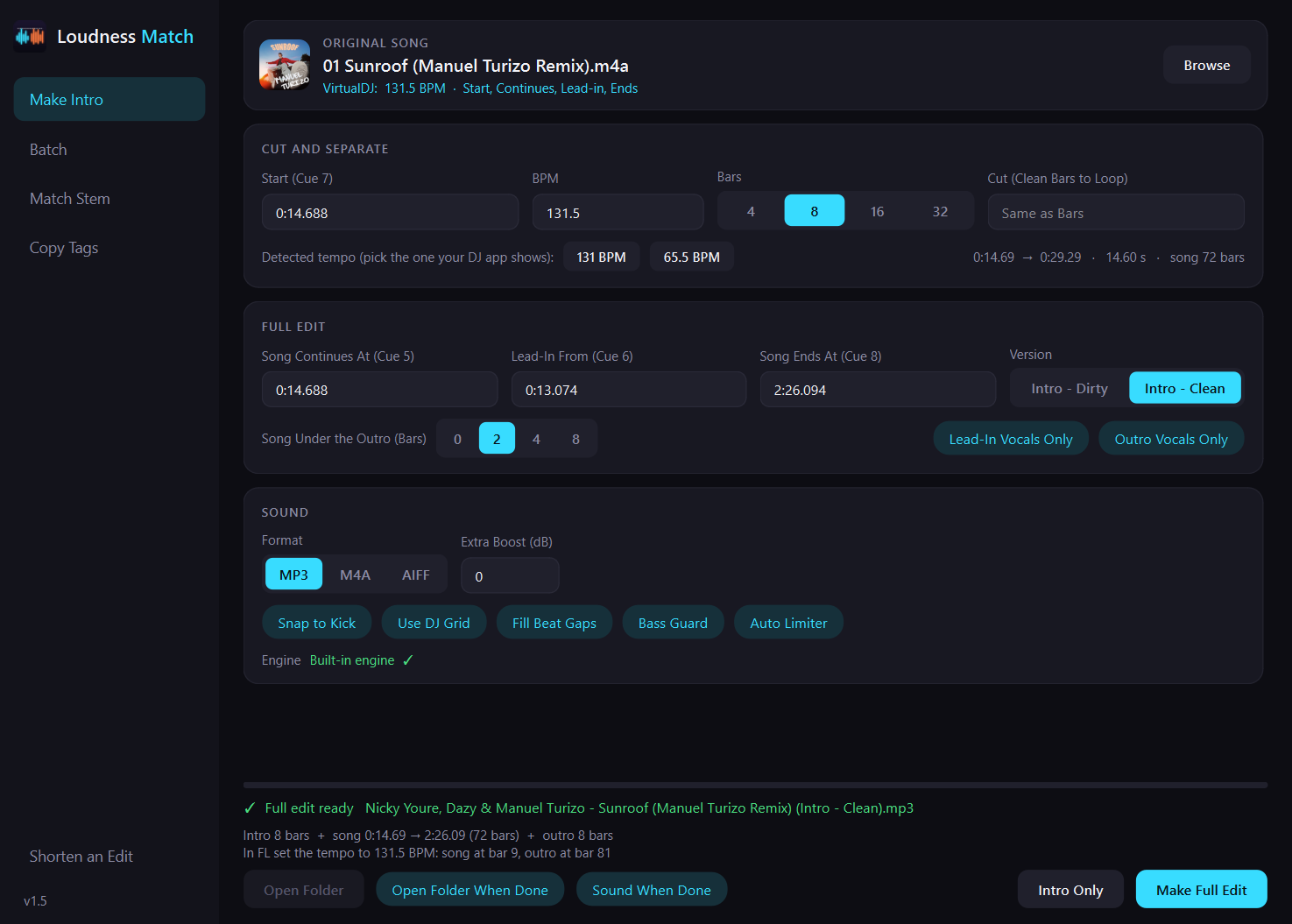
Loudness Match: the Make Intro page

No more riding the gain mid-set

Pool intros come too loud or too quiet, drift off the grid, and don't exist for half the songs you play. Loudness Match makes your own version of any song you own.

≡

Exactly as loud as the song

The intro comes out at the same level as the part of the song it was cut from — loudness, waveform and low end. No jump when the vocals come in.

♩

On the beat, every time

Cuts land on the real kick and the whole edit sits on one beat grid — your DJ app's grid if you want.

✦

Your versions, any song

4, 8, 16 or 32 bars. Dirty or Clean. Lead-in vocals over the drums, the song under the outro. You decide.

Everything a DJ edit needs

One window instead of a DAW, a stem separator, a loudness meter and a tag editor.

Full Edit in one click

Drums intro + the untouched song + drums outro, in one file on one grid.

Marked in VirtualDJ

Set four hot cues and the times fill themselves in — no typing.

AI vocal removal

A state-of-the-art model runs on your own computer. Nothing is uploaded.

Lead-in & outro vocals

Let the song's vocals come in over the drums, at the song's own level.

Preview before you play

Hear the song's entry and the outro right away, from the waveform.

Batch

Drop ten marked songs, press Make All, come back to ten finished edits.

Shorten an edit

Turn a 16-bar edit into 8 bars without re-encoding — same quality, tags kept.

Full quality, tagged

MP3 320, M4A or AIFF, with the original title, artist, artwork and BPM.
How it works

Three steps, about a minute per song on a computer with an NVIDIA graphics card.

Mark the song

In VirtualDJ set hot cues for the drums, where the song comes in, and where the outro starts — or type the times.

Make Full Edit

Loudness Match cuts, separates, matches and builds the edit. One file, tagged.

Preview and play

Listen to the joins in the app, then load the edit in Rekordbox, Serato or VirtualDJ.

Hear it before you play it

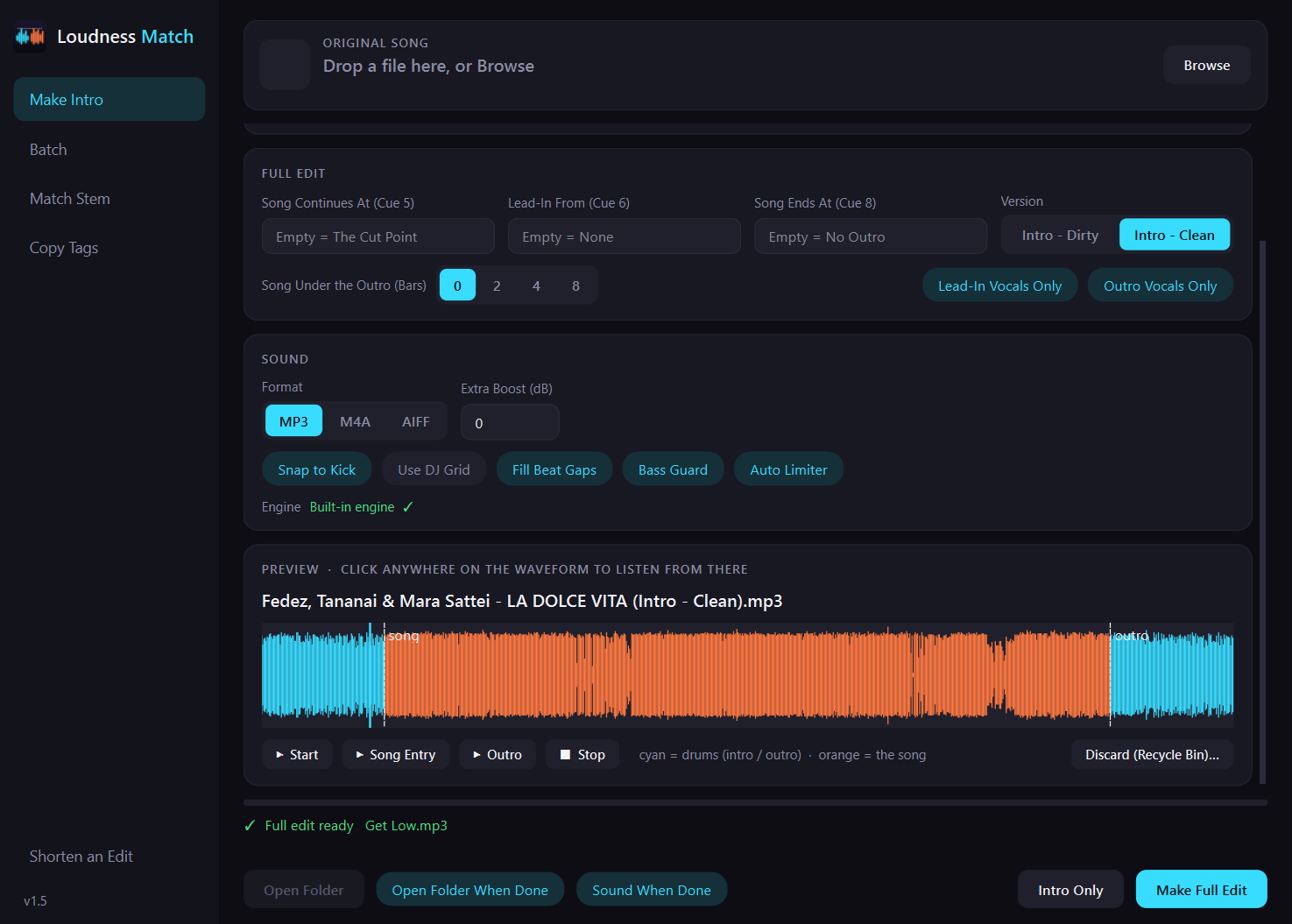
The Preview shows the whole edit — drums in cyan, the song in orange. Click anywhere to listen, or jump straight to the song's entry and the outro.

The Preview card with the edit's waveform
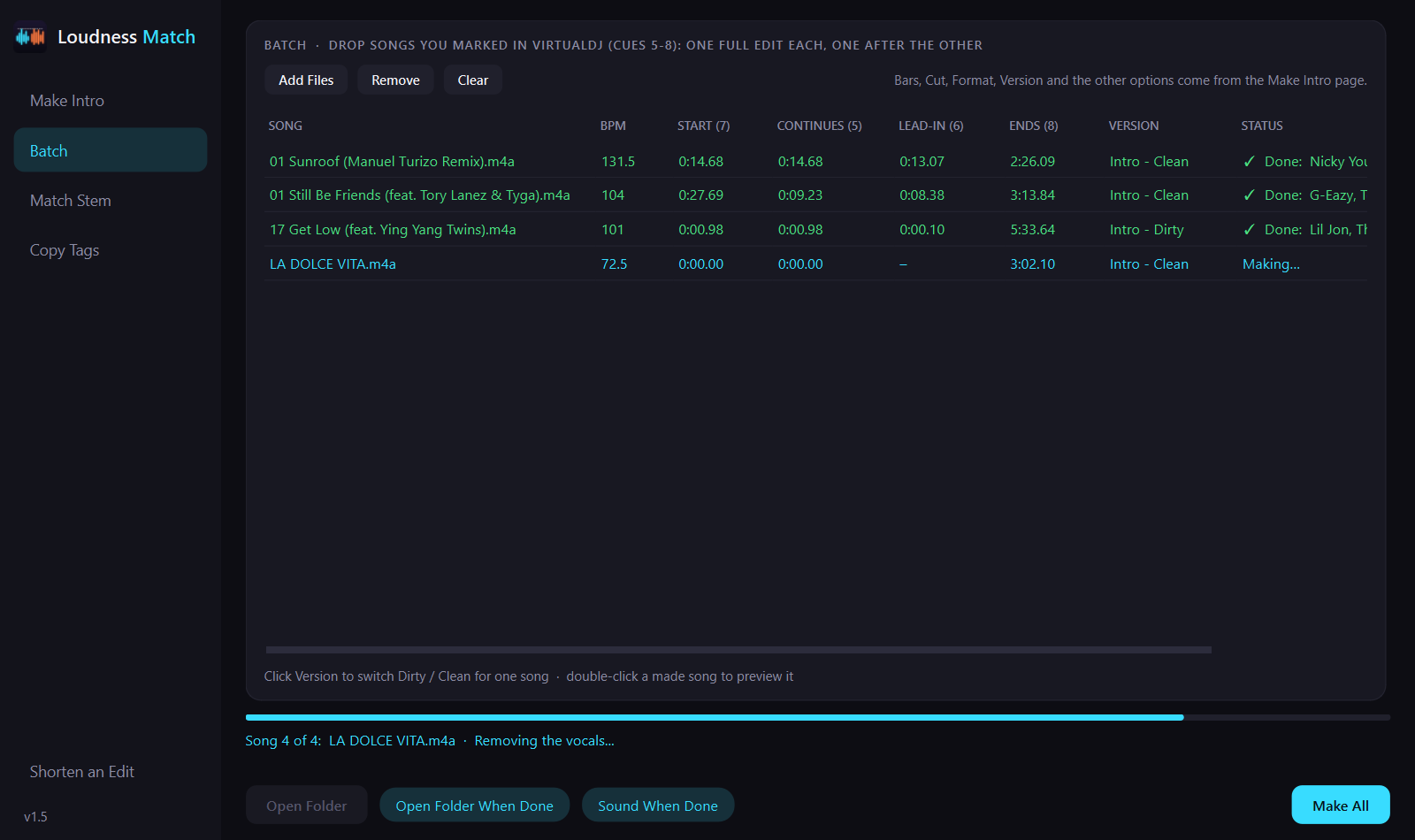
The Batch page making several edits

A whole crate at once

Mark your songs in VirtualDJ, drop them on Batch and press Make All. Each song uses its own cues; one problem song never stops the rest.

Simple pricing

Pay once. Try it free for 7 days first.

Loudness Match
$10
one-time payment
  • Every feature, no limits
  • 1 year of updates included
  • For 1 computer — move it to a new one any time
  • Keeps working forever after the update year
  • 7-day free trial, no card needed
Start the Free Trial

In Egypt? Pay 500 EGP instead →

Egypt

Pay in Egyptian Pounds — 500 EGP

Many Egyptian debit cards only work for payments in EGP. Buy Loudness Match in pounds with InstaPay instead — you get the same license key as everyone else.

  1. E-mail us and we'll send you the InstaPay details.
  2. Pay 500 EGP and reply with a screenshot of the transfer.
  3. We send you a personal checkout link — your order and license key arrive by e-mail.
Pay in EGP (Egypt)

Try it free for 7 days

The download link opens soon. On first launch the app sets up its vocal-removal engine (a one-time download of about 1–3 GB, depending on your graphics card).

Tell me when it's ready

Questions

What do I need to run it?

Windows 10 or 11 (64-bit). An NVIDIA graphics card makes it fast (under a minute per intro); without one it works on the processor, more slowly (a few minutes per intro). A Mac version is in the works.

Does it work with my DJ software?

The edits are normal MP3, M4A or AIFF files: they work in Rekordbox, Serato, VirtualDJ, Traktor and on CDJs. Marking songs with cues works with VirtualDJ today.

Is my music uploaded anywhere?

No. Everything — including the vocal removal — runs on your own computer.

Does it change my original files?

Never. Every edit is a new file saved next to the original song.

What happens after the 7-day trial?

The app asks for a license key. Buy once and enter the key; it works on one computer. Got a new computer? Deactivate the key on the old one and activate it on the new one.

I'm in Egypt and my card doesn't work. How do I pay?

Pay 500 EGP with InstaPay — see Pay in EGP. You get the same license key.

Can I get a refund?

Yes — see the refund policy. Please use the free trial first to make sure it fits your workflow.